
The most useful ESP32-S3 projects remove a repeated annoyance from your desk. One practical example is turning an ESP32-S3 into a USB keyboard and mouse that you control from a browser, so the same input setup can work across several computers.
That sounds simple because the physical part is simple: the board connects to a target computer by USB and presents keyboard and mouse input. The work is in deciding what problem you are actually solving, where the board sits, and what you expect browser control to do.
A lot of microcontroller projects stop at a successful demo. An LED changes colour, a sensor value appears on a screen, or a button sends a message. Those are good ways to learn the board. They are less useful when the project is supposed to earn a permanent place on a desk.
For an ESP32-S3 project to last, it needs a job that you perform often enough to care about. Moving between computers is one of those jobs.
Start with the workflow, not the board
Consider a desk with a work laptop, a personal machine, and a small computer used for testing. Each has its own screen. Each may need occasional input. The usual options are familiar: keep a keyboard and mouse attached to every system, move USB cables by hand, or install software on each computer.
Each option has a cost. Extra peripherals consume space. Cable swapping interrupts the task. Installing software may be unavailable or unwanted on a machine you do not administer.
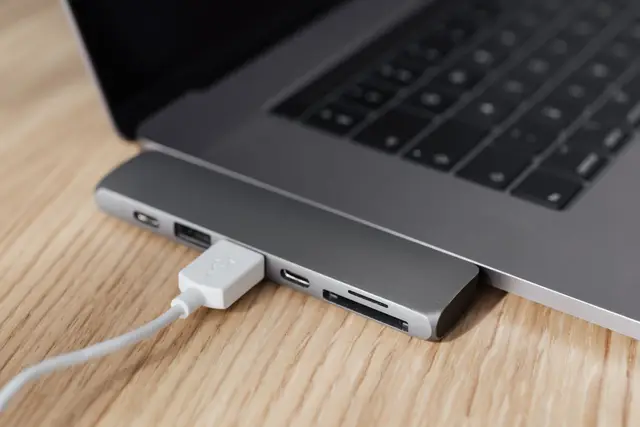
An ESP32-S3 remote-input project takes a different route. The board is attached by USB to the computer that needs input. From a browser, you send keyboard and mouse actions to the board. The computer sees the result as USB input. Nothing needs to be installed on that target computer.
This is a narrow tool by design. It does not show the target computer's desktop in the browser. It does not replace a remote-desktop product. You still need some way to see what is happening on the computer, such as its own display or an existing display arrangement. What the ESP32-S3 provides is remote input: keyboard and mouse actions delivered through the USB connection.
That distinction prevents a lot of bad project decisions. If you need to open applications, type commands, choose menu items, or click through a setup on a computer you can already see, remote USB input may fit well. If you need to view and control a distant desktop from one web page, this is the wrong category of project.
Why the ESP32-S3 fits USB input work
The ESP32-S3 is useful here because the project can act as a USB input device. In plain terms, the connected computer can treat the board as a keyboard and mouse rather than as a storage device or a display.
That changes the target-side setup. There is no client application to deploy before you can type. There is no account to create on the target computer. The board's USB connection is the local link that delivers the input.
For a project builder, that creates a clean boundary:
- The browser is where you issue input commands.
- The ESP32-S3 receives those commands and produces keyboard or mouse actions.
- The USB-connected computer receives those actions as input.
Keeping these three parts separate makes troubleshooting much easier. If the browser control is reachable but a keystroke has no effect, inspect the board's connection to the target computer. If the board is connected and recognized but the browser cannot reach the control page, investigate the path between browser and board. Do not treat the entire setup as one opaque remote-control system.
This separation also explains why an ESP32-S3 input project has different trade-offs from keyboard-sharing software. Software sharing usually depends on a program running on every participating computer. A USB-input board shifts the target computer's role toward a physical USB peripheral connection.
The projects that make sense at a real desk
There is no single ideal build. The right project depends on how often you switch, whether the machines are nearby, and whether you can install software on them.
A browser-controlled setup station
A common use case is a machine that is set up, maintained, or tested from time to time. It may sit beside your primary computer, connected to a separate monitor. You do not need constant access, yet you need reliable keyboard and mouse input when working through configuration screens, command prompts, or application dialogs.
Attach an ESP32-S3 to that machine and control the input device from your browser. The machine receives USB keyboard and mouse actions without a target-side installation. This can be especially useful when you want the target system to remain close to its normal state.
The limitation is visibility. Browser-controlled input does not give you the target's screen. Plan the physical desk around that fact. A dedicated monitor, a display switch, or a screen already connected to the target all solve a different part of the workflow.
A multi-computer workbench
A workbench may have a main computer for daily work plus one or two machines used for testing, documentation, or separate accounts. In this setting, the value is less about remote access and more about avoiding peripheral clutter.
The project works well when switching keyboards and mice is the interruption you want to cut. You can use browser control to direct input to the relevant attached board rather than reaching for another keyboard.
InputInfinity has a free start option for up to three devices, which maps neatly to a small desk with a primary machine and two additional systems. It is enough to test the habit before planning a larger arrangement.
A useful discipline here is to name each device based on its physical role, not a vague label. “Test PC left monitor” is more helpful than “ESP device 2” when you have a browser open and need to send a command to the right machine.
A no-install input path
Sometimes the constraint is straightforward: you need to interact with a computer, but installing an input-sharing application on it is off the table. This can happen with a managed system, a short-lived test machine, or a computer you want to keep free of additional tools.
A USB input board is worth considering because the target computer does not require that installation. The board connects as the local input device; control happens elsewhere in the browser.
That does not remove every setup requirement. You still need physical access to plug the ESP32-S3 into the target computer, and you need a way to see the target computer while using it. Treat those as core project requirements, not details to solve later.
Design choices that avoid frustration
Small physical choices make a big difference once the board is in daily use. Use a cable length that lets the board stay near the target computer without putting strain on the USB port. Label the cable or board if several machines are involved. A board that becomes “the one near the monitor” is easy to confuse after a few days.
Think about accidental input too. A keyboard command goes wherever the target computer's active window is focused. Before typing a password, running a command, or closing a program, check the target display and confirm the correct board is selected in the browser. USB input is immediate. That is useful, but it gives you little room to correct a mistake.
Mouse control deserves the same planning. If the target machine has multiple displays, make sure you can identify where the pointer is before you click. A browser-driven mouse is useful for navigation and ordinary clicking, but it cannot tell you where the target cursor is unless you can see that screen.
Keep the first version modest. One ESP32-S3, one target computer, one browser control session. Use it for a normal task, such as signing in and opening a few applications. Once that feels natural, add a second or third device. Building a large layout first makes it harder to find out whether the basic workflow actually suits you.
Where InputInfinity fits
We built InputInfinity around this specific kind of ESP32-S3 project: a remote USB keyboard and mouse controlled from a browser. The target computer does not need installed software, and the browser becomes the place from which you send input to the board.
The important word is input. We focus on helping you use one keyboard and mouse across computers through ESP32-S3-based USB devices, not on replacing a full remote-desktop environment. If that boundary matches your desk, you can start with up to three devices on the free option at InputInfinity.
For a closer look at the mouse side of the setup, see our guide to remote USB mouse control without target-side software.
Comments
No comments yet. Be the first.